-
 Chris Alarcon
 - 18 Sep, 2026
Grok Build vs Claude Code: Two Different Products, and Google Is Comparing the Wrong One
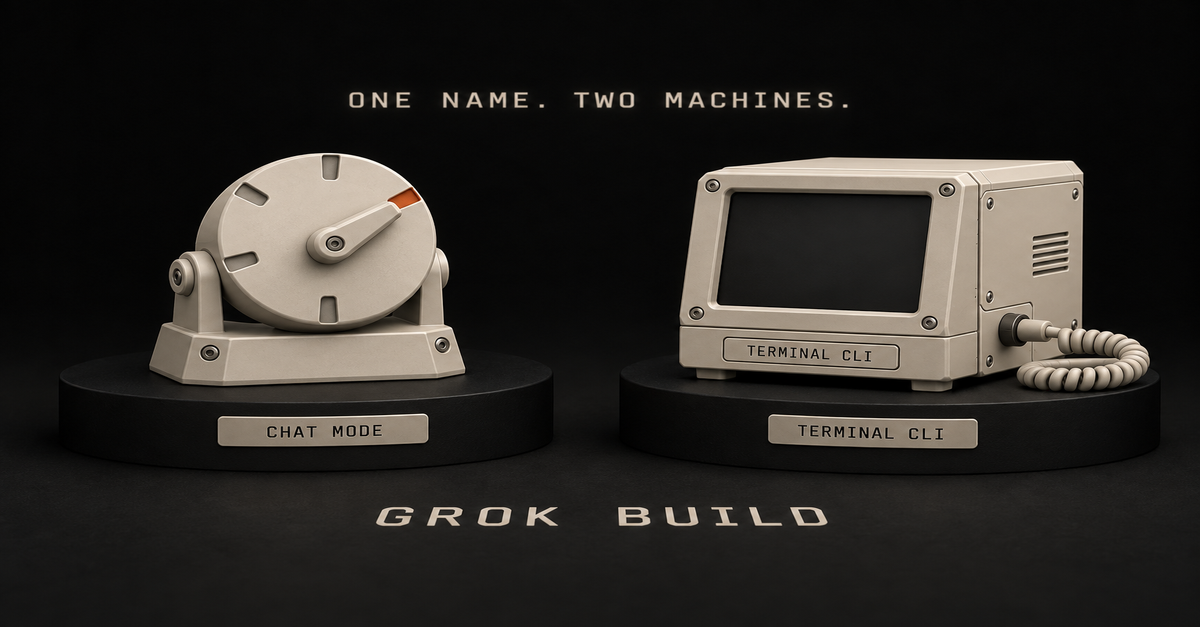
Quick answer: if you pressed the hammer icon in Grok's chat window, the comparison you found on Google is about a different product. Build mode is free on every plan, needs nothing installed, and publishes to a live link. Claude Code is a terminal agent that starts at $20 and works on your real files. Prototype in Build. Move it into Claude Code when it gets serious. That last line is my whole split on these two: prototype in Build, move it when it gets serious.Update, September 22, 2026: both sides got a new model this week. xAI released Grok 4.7 on September 21 and its launch post lists Grok Build among the places it runs. Anthropic released Opus 5.5 the next day, Claude Code's docs now make it the default on Pro, Max, Team and Enterprise, and Anthropic says "Fast mode for Opus 5.5 is also available in Claude Code." My split does not change. 5.5 is for serious work. 4.7 is just free work. Build comes with my SuperGrok Plus plan, and with every other plan too, Free included. So to me it is a free canvas. There's definitely a use case for it, I just haven't found it yet. The full reasoning is further down.You are probably looking at the wrong Grok Build There are two products with this name, and Google's page one is almost entirely about the one you did not mean. Build mode, inside the Grok chat window. It lives behind the hammer icon in the composer, alongside the other modes. xAI announced it on July 28, 2026, and their pitch was that there is nothing to install and nothing to configure, and you never have to touch the code unless you want to. The Grok Build CLI. A terminal coding agent aimed at professional engineering, announced back in May 2026. Same name. Completely different audiences. When I pulled the results for "grok build vs claude code" on September 18, 2026, every one that was genuinely about Build was about the CLI. Same on September 22, with three new ones added. One was about Grok Bot, a third product again. Composio's is the honest one, because it puts CLI in the URL and tells you which thing it reviewed. So if you came here because of a button you pressed in a chat window, that's a different product. What Grok Build is walks through both products and the mode menu; this page is only about choosing. The two-products problem got worse with Grok 4.7. When xAI says the new model is "available today in Cursor and Grok Build," its docs mean the coding agent, where 4.7 is now the default model. That is also the Build the outside tests run. The hammer icon is less clear. xAI's launch post does not say which model Build mode in the chat window runs, and it does not list the Grok app at all. When I tried Build on my own account, I confirmed it was on 4.7. That is my report from one session, with no screenshot, not something xAI states. My first test there, an app or a script to help me find good business ideas, failed. The money answer: Build is free, Claude Code starts at $20Grok Build (chat mode) Claude CodeFree plan Yes, every plan NoEntry price $0 $20/mo (Pro), $17/mo annualInstall anything? No Yes, terminal or an IDEWhere it works Your browser, iOS, Android The real files and folders on your laptop, plus the saved history of earlier versionsOutput A live page at a grok.me link Changes to a real project on your machinePublished limits None for Build specifically Plan usage limitsxAI changed the gate and most guides never caught up.The announcement is dated August 19, 2026, and the line that matters is one sentence: "Grok Build is now available on every plan, on the web and on mobile." The paragraph under it explains why so much of the internet is still wrong: "When we introduced it in July, building in Grok was an Early Beta limited to SuperGrok Heavy." Three weeks of truth, and then a year of guides repeating it. My own account is the cheapest disproof I can offer: I subscribe at the $100 SuperGrok Plus tier, Heavy mode is not on it, and Build is right there in my composer. On the other side, Claude's pricing page lists Claude Code under Pro. The Free tier does not have it. What actually comes out of each one This is where the two products stop being comparable in a useful way. Build mode gives you a page with a Publish button. In xAI's words, "Every app you publish gets its own address on grok.me, and you decide who can open it: just you, anyone with the link, or the whole internet." You can point a domain you already own at it instead. That publish step is the entire reason a non-coder would care, and no benchmark table on page one mentions it.Claude Code gives you changes to something that already exists. It runs in your terminal, on the real files and folders on your laptop, including the saved history of every previous version of your work. There is no Publish button because publishing is not the job. Modifying a project you already have is the job. One makes a thing. The other changes your things. I built a landscaping site in Build mode On September 10, 2026 I gave Build mode a one-pager for an invented landscaping business and let it run.That is the real preview, with the Publish button sitting in the toolbar. It was a test, not a client job, and nothing got shipped to a real business. What finished: the page. Hero, sections, copy, all of it live in the conversation, no install, no configuration, nothing to deploy. It also produced a contact form, which is where a page like this usually falls apart.A form that renders is not a form that delivers mail to a business owner, and that gap is the honest edge of what this tool does for you. The same build, in sixty seconds:The 60-second version, from my Shorts: Grok builds the app from one sentence and hands you the link.For prototyping, I think it is great. You can generate images in Imagine, generate mockup sites, and get to something you can look at fast. I do not think "less capable" automatically means bad. Grok is finding a level that is respectable, and the stack you get with the subscription is enticing enough to try. The moment I move it into Claude Code Here is the line, and the word that decides it is serious. Prototype, mockup, something you are building to find out whether it is worth building? Stay in Build. That is what it is good at and it costs nothing. New, complex, or something other people are going to depend on? That is Claude Code, with Opus 5.5 behind it by default and Fable as the fallback, which is the choice I unpack on Fable vs Opus. The reason is not loyalty, it is model position, and xAI's own founder is the clearest source on it. He has now said it twice.Before launch, on September 14, 2026, Elon Musk posted: "Grok 4.7 should be roughly on par with Opus 5.0, not 5.1. Better in some ways, worse in others. We need to fix multimodal performance." Grok 4.7 shipped on September 21. That day he posted again: "Grok 4.7 places @SpaceXAI as third, after Anthropic & OpenAI, for agentic coding. When factoring in that Grok is significantly faster & lower cost, it's a great choice for your everyday workhorse." xAI's own launch table says the same thing in numbers. On CursorBench 4.0, xAI lists Grok 4.7 at 46.3% and Claude Fable 5.1 at 51.8%. Then on September 22, Anthropic shipped Opus 5.5 and said it "performs at the level of Claude Fable 5.1 on most work." It is already in my own Claude app.My Claude Code log shows the same switch: at 18:08 UTC that day I saved Opus 5.5 as my default for new sessions, at high effort. Read what that actually says. Grok's own creator ranks it third and sells it on speed and price. By Anthropic's account, the model Claude Code now gives you by default sits at the level of the model xAI's own table puts ahead of Grok 4.7. For something that matters, that is not a hard call. I want to be fair about this, because it would be easy to be snide. I am not saying Grok is bad. I have access to it, I think I should lean on it more for certain builds, and I think it is worth using. So did the two new models change my split? No. 5.5 is for serious work. 4.7 is just free work. Grok gets serious for me once it reaches Fable level. I'm hoping that's Grok 5, probably before the end of the year if we're lucky. At that point you're talking about more serious tasks, and you can build really serious stuff. That timing is my guess, not an xAI promise. Musk's own September 14 post pegs Grok 4.9 as "probably Astra/Fable class." Right now the cheap, efficient side pays off if you're a developer with an app you just want to maintain. For the everyday user, you're better off using ChatGPT or Claude. This is not where you want to get nerdy. I'm not saying it's a terrible model to talk to, it's actually pretty smart. For everyday use I still go with ChatGPT and Claude, because right now you're getting way more bang for the buck. Omid Saffari, one of the few solo operators who has compared all three, lands in the same place, in a review written before Grok 4.7 shipped:For a throwaway side project or to kick the tires, fine. For the refactor your paying customers depend on this week, not yet.Worth noting he is reviewing the Grok Build CLI there, not the chat mode, so take it as a verdict on xAI's coding stack rather than on the hammer icon. The line is not size. It is consequence. Would I put it in front of a client For a prototype, yes, and this is where the two Grok products earn their keep together. Imagine is where I generate images, thumbnails, and visual mockups of a redesign. Build is where I make the actual working page you can click. For showing a client a direction before anyone has committed a budget, that combination is fast and it is cheap. What I would not do is hand over a Build-mode page as the finished product for a business that depends on it. Prototype, decision, then build it properly. The prototype is not the deliverable, it is the argument for the deliverable. One warning before you plan around any of this: xAI publishes no Grok Build usage limit, so every specific number you will find quoted for one was invented by the person quoting it, and Grok usage limits explained tracks what is actually published. The one published gate so far is about speed. Grok 4.7 Fast, the quicker version billed at twice the token rate, "is not included in Grok Build's free tier," per xAI's docs. So which one should you openIf you clicked the hammer icon and want to know if it is a toy: it is not, for prototypes. It is free, it publishes, and it is worth an afternoon. If you have no subscription to either: Build mode is free on every Grok plan and Claude Code is not free at all. Start where it costs nothing. If you are prototyping for a client: Build for the page, Imagine for the visuals, and do not confuse either with the finished job. If the thing is new, complex, or something other people will depend on: Claude Code, at $20 minimum, and use the terminal. If you are choosing a terminal coding agent and you write software for a living: you want the CLI comparison, which is what page one is already giving you. This page is not that. If you are actually weighing Grok's chatbot against Claude Code: that is a different pairing, covered on Grok Bot vs Claude Code.For the non-Grok side of the same decision, Codex vs Claude Code is the version of this argument where one of the tools is free on every ChatGPT plan. The Claude at Work hub has the rest of the map. Common questions Is Grok Build the same as Claude Code? No. Claude Code and the Grok Build CLI are both terminal coding agents. Build mode in the Grok chat window is a different product that installs nothing and publishes to a link. Most comparisons you will find are about the CLI. Is Grok Build free? Build mode is on every plan, per xAI's announcement of August 19, 2026. It was Heavy-only for about three weeks after its July launch, so anything written in July says Heavy only. Which Grok Build does a "Claude Code vs Grok Build" comparison mean? Almost always the CLI, the terminal product. If you are comparing Claude Code against the hammer icon in your chat window, most of page one is reviewing something else. The same confusion drives searches for grok build vs codex and grok bot vs grok build, which are three separate xAI products. When should I move from Grok Build to Claude Code? When the project becomes something other people depend on. Prototypes and mockups are fine in Build. New, complex work that other people will depend on belongs in Claude Code. Does Grok Build use Grok 4.7? The coding agent does. Since the September 21 launch, xAI's docs list Grok 4.7 as its default model, and Grok 4.7 Fast is not on Build's free tier. xAI does not say which model the hammer icon in the chat window runs. The model itself is covered on Grok 4.7 explained. Which model does Claude Code use now? Opus 5.5, by default, on Pro, Max, Team and Enterprise. Anthropic says it performs at the level of Fable 5.1 on most work. Neither Opus 5.5 nor Claude Code is on the Free plan. Correction LogSeptember 18, 2026. Published, three days before Grok 4.7 shipped. September 22, 2026. Grok 4.7 shipped on September 21 and Opus 5.5 on September 22. Replaced the pre-launch Grok 4.7 answers, added Musk's September 21 post and xAI's own CursorBench numbers, added Opus 5.5 as Claude Code's default, the Grok 4.7 Fast free-tier gate, and a note on which Grok Build xAI means. Noted that Omid Saffari's review predates 4.7. The split itself did not change.Where this comes from The facts come from xAI's and Anthropic's own posts and docs, read September 22. I pay for SuperGrok Plus and Claude Max, and the app screenshots are mine. The landscaping build was my own test on September 10. I have not tried the Grok Build CLI, and xAI publishes no Build usage numbers. Published September 18, 2026. Updated September 22, 2026 for Grok 4.7 and Opus 5.5.