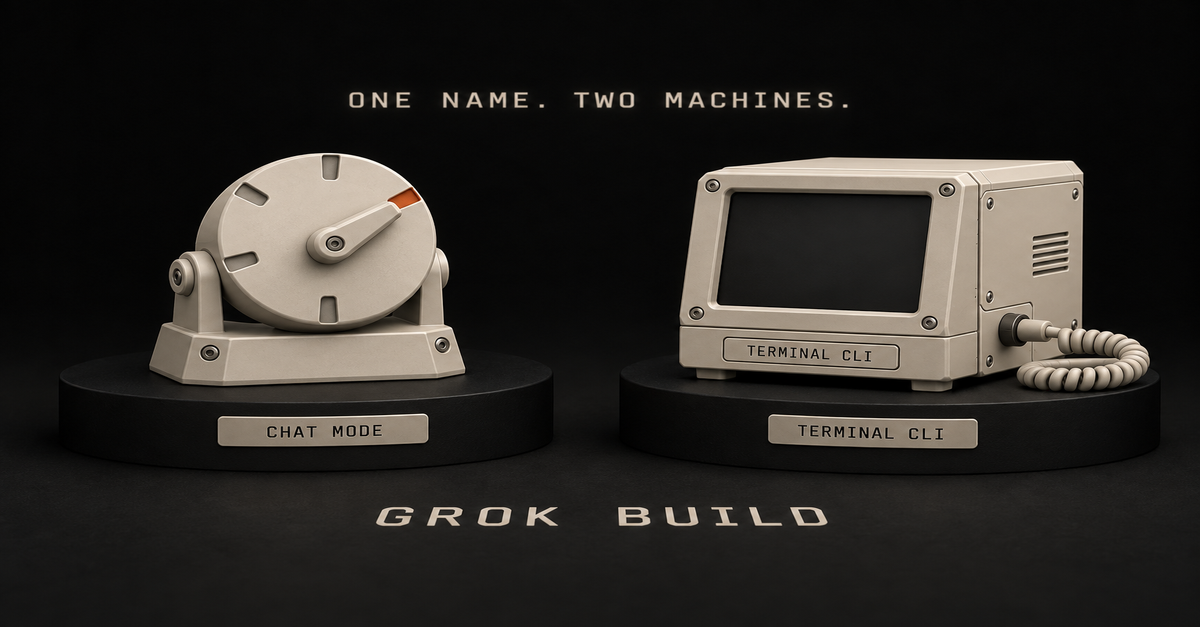
Quick answer: if you pressed the hammer icon in Grok's chat window, the comparison you found on Google is about a different product. Build mode is free on every plan, needs nothing installed, and publishes to a live link. Claude Code is a terminal agent that starts at $20 and works on your real files. Prototype in Build. Move it into Claude Code when it gets serious.
That last line is the whole Ship Lean split on these two: prototype in Build, move it when it gets serious.
You are probably looking at the wrong Grok Build
There are two products with this name, and Google's page one is almost entirely about the one you did not mean.
Build mode, inside the Grok chat window. It lives behind the hammer icon in the composer, alongside the other modes. xAI announced it on July 28, 2026, and their pitch was that there is nothing to install and nothing to configure, and you never have to touch the code unless you want to.
The Grok Build CLI. A terminal coding agent aimed at professional engineering, announced back in May 2026.
Same name. Completely different audiences.
When I pulled the results for "grok build vs claude code" on September 18, 2026, every one that was genuinely about Build was about the CLI. One was about Grok Bot, a third product again. Composio's is the honest one, because it puts CLI in the URL and tells you which thing it reviewed.
So if you searched this because of a button you pressed in a chat window, page one is answering somebody else's question. What Grok Build is walks through both products and the mode menu; this page is only about choosing.
The money answer: Build is free, Claude Code starts at $20Grok Build (chat mode)
Claude CodeFree plan
Yes, every plan
NoEntry price
$0
$20/mo (Pro), $17/mo annualInstall anything?
No
Yes, terminal or an IDEWhere it works
Your browser, iOS, Android
The real files and folders on your laptop, plus the saved history of earlier versionsOutput
A live page at a grok.me link
Changes to a real project on your machinePublished limits
None for Build specifically
Plan usage limitsxAI changed the gate and most guides never caught up.The announcement is dated August 19, 2026, and the line that matters is one sentence: "Grok Build is now available on every plan, on the web and on mobile."
The paragraph under it explains why so much of the internet is still wrong: "When we introduced it in July, building in Grok was an Early Beta limited to SuperGrok Heavy."
Three weeks of truth, and then a year of guides repeating it. My own account is the cheapest disproof I can offer: I subscribe at the $100 SuperGrok Plus tier, Heavy mode is not on it, and Build is right there in my composer.
On the other side, Claude's pricing page lists Claude Code under Pro. The Free tier does not have it.
What actually comes out of each one
This is where the two products stop being comparable in a useful way.
Build mode gives you a page with a Publish button. In xAI's words, "Every app you publish gets its own address on grok.me, and you decide who can open it: just you, anyone with the link, or the whole internet." You can point a domain you already own at it instead.
That publish step is the entire reason a non-coder would care, and no benchmark table on page one mentions it.Claude Code gives you changes to something that already exists. It runs in your terminal, on the real files and folders on your laptop, including the saved history of every previous version of your work. There is no Publish button because publishing is not the job. Modifying a project you already have is the job.
One makes a thing. The other changes your things.
I built a landscaping site in Build mode
On September 10, 2026 I gave Build mode a one-pager for an invented landscaping business and let it run.That is the real preview, with the Publish button sitting in the toolbar. It was a test, not a client job, and nothing got shipped to a real business.
What finished: the page. Hero, sections, copy, all of it live in the conversation, no install, no configuration, nothing to deploy.
It also produced a contact form, which is where a page like this usually falls apart.A form that renders is not a form that delivers mail to a business owner, and that gap is the honest edge of what this tool does for you.
The same build, in sixty seconds:The 60-second version, from my Shorts: Grok builds the app from one sentence and hands you the link.For prototyping, I think it is genuinely great. You can generate images in Imagine, generate mockup sites, and get to something you can look at fast. I do not think "less capable" automatically means bad. Grok is finding a level that is respectable, and the stack you get with the subscription is enticing enough to try.
The moment I move it into Claude Code
Here is the line, and the word that decides it is serious.
Prototype, mockup, something you are building to find out whether it is worth building? Stay in Build. That is what it is good at and it costs nothing.
New, complex, or something other people are going to depend on? That is Claude Code, with Claude's strongest planning model behind it, which is the choice I unpack on Fable vs Opus.
The reason is not loyalty, it is model position, and xAI's own founder is the clearest source on it.On September 14, 2026, Elon Musk posted: "Grok 4.7 should be roughly on par with Opus 5.0, not 5.1. Better in some ways, worse in others. We need to fix multimodal performance."
Read what that actually says. Grok 4.7 is not released yet, and when it arrives its own creator is positioning it against Opus 5.0, not against the current frontier. So on a serious project the question is whether you want to work a model generation back, or at the front. For something that matters, that is not a hard call.
I want to be fair about this, because it would be easy to be snide. I am not saying Grok is bad. I have access to it, I think I should lean on it more for certain builds, and I think it is worth using.
But for new and genuinely complex work, I want the strongest planning model I can get, and that keeps me in Claude Code.
Omid Saffari, one of the few solo operators who has compared all three, lands in the same place: "For a throwaway side project or to kick the tires, fine.
For the refactor your paying customers depend on this week, not yet." Worth noting he is reviewing the Grok Build CLI there, not the chat mode, so take it as a verdict on xAI's coding stack rather than on the hammer icon.
The line is not size. It is consequence.
Would I put it in front of a client
For a prototype, yes, and this is where the two Grok products earn their keep together.
Imagine is where I generate images, thumbnails, and visual mockups of a redesign. Build is where I make the actual working page you can click. For showing a client a direction before anyone has committed a budget, that combination is fast and it is cheap.
What I would not do is hand over a Build-mode page as the finished product for a business that depends on it. Prototype, decision, then build it properly. The prototype is not the deliverable, it is the argument for the deliverable.
One warning before you plan around any of this: xAI publishes no Grok Build usage limit, so every specific number you will find quoted for one was invented by the person quoting it, and Grok usage limits explained tracks what is actually published.
So which one should you openIf you clicked the hammer icon and want to know if it is a toy: it is not, for prototypes. It is free, it publishes, and it is worth an afternoon.
If you have no subscription to either: Build mode is free on every Grok plan and Claude Code is not free at all. Start where it costs nothing.
If you are prototyping for a client: Build for the page, Imagine for the visuals, and do not confuse either with the finished job.
If the thing is new, complex, or something other people will depend on: Claude Code, at $20 minimum, and use the terminal.
If you are choosing a terminal coding agent and you write software for a living: you want the CLI comparison, which is what page one is already giving you. This page is not that.
If you are actually weighing Grok's chatbot against Claude Code: that is a different pairing, covered on Grok Bot vs Claude Code.For the non-Grok side of the same decision, Codex vs Claude Code is the version of this argument where one of the tools is free on every ChatGPT plan. The Claude at Work hub has the rest of the map.
Common questions
Is Grok Build the same as Claude Code?
No. Claude Code and the Grok Build CLI are both terminal coding agents. Build mode in the Grok chat window is a different product that installs nothing and publishes to a link. Most comparisons you will find are about the CLI.
Is Grok Build free?
Build mode is on every plan, per xAI's announcement of August 19, 2026. It was Heavy-only for about three weeks after its July launch, which is why so many guides get this wrong.
Which Grok Build does a "Claude Code vs Grok Build" comparison mean?
Almost always the CLI, the terminal product. If you are comparing Claude Code against the hammer icon in your chat window, most of page one is reviewing something else. The same confusion drives searches for grok build vs codex and grok bot vs grok build, which are three separate xAI products.
When should I move from Grok Build to Claude Code?
When the project becomes something other people depend on. Prototypes and mockups are fine in Build. New, complex work that other people will depend on belongs in Claude Code.
Is Grok 4.7 released?
Not as of September 18, 2026. Musk posted on September 14 that it should land roughly on par with Opus 5.0, better in some ways and worse in others, with multimodal performance still to fix. There is no launch page or model card.
Where this comes from: xAI's August 19 announcement and FAQ, and Anthropic's pricing page, read and screenshotted September 18, 2026. I pay for SuperGrok Plus and Claude Max. The landscaping build is my own test from September 10, never shipped to anyone. I have not tried the Grok Build CLI. No benchmarks and no invented usage limit. Last reviewed September 2026.
Quick answer: Grok Build is a mode in Grok's chat window. You click the hammer icon under the message box, pick Build, describe what you want, and it builds a working website or app live in the conversation with a Publish button waiting at the end. There is nothing to install. There is also a completely separate developer product called Grok Build that runs in a terminal, and that is the one Google shows you first.
The Ship Lean rule on Grok Build: prototype in whatever you already pay for, and never let one vendor own all of it.
Published September 10, 2026. Plan availability verified on xAI's pricing page the same day.
Quick decisionWhat you are trying to do
Where to goGet a one-page site or a small app without touching code
Build mode, in the Grok chat windowDay-job software engineering
The Grok Build CLI, or Claude CodeFind out whether your plan includes it
It does. Every plan, including freeWork out what it costs you
It draws on the shared weekly poolDecide whether to pay xAI at all
My $100 SuperGrok Plus verdictYou searched Grok Build and Google handed you a terminal
There are two products named Grok Build, and they are not versions of each other.
The one most search results describe is the CLI, announced May 25, 2026 as "a powerful new coding agent for professional software engineering and complex coding work." You install it with a curl command. It runs in a terminal, plans before it edits, and works across a codebase. People who have put real hours into it rate it seriously, and it is genuinely not for you if you do not write software.
The one you found in your chat menu is Build mode, announced two months later on July 28, 2026. xAI's own sentence for it: "There's nothing to install and nothing to configure, and you never have to touch the code unless you want to."
Same name. One needs a terminal, one needs a sentence.
If you are reading this because you clicked something in Grok and a preview pane opened, you want the second one, and the rest of this page is about that.
Your chat menu has five modes, not four
Every mode guide ranking on Google right now lists four: Auto, Fast, Expert, Heavy. Count the menu.My own session on September 10, 2026. Five modes, Build checked, on a SuperGrok Plus account. The prompt is sitting right there: "build a website for a local landscaping website."
Here is what each one is actually for:Mode
What it does
Gated?Auto
Picks between Fast and Expert for you
NoFast
Answers quickly, thinks less
NoExpert
Thinks longer before answering
Yes. xAI's table shows a dash under FreeBuild
Makes websites, apps, games and dashboards
No. Checked on all seven plan columnsHeavy
Runs a larger group of agents on one problem
Yes, and the most restricted of the fiveHeavy is the confusing one, because Heavy is both a mode in this menu and a plan tier. I am on SuperGrok Plus at $100 and I do not have Heavy mode. I do have Build. That is the distinction the guides are collapsing when they tell you Build is an advanced feature you have to buy.
xAI does not publish a price for the Heavy tier, so I am not going to print one. My own account is the evidence I have: at $100 a month, Heavy mode is not in reach and Build is.
One more thing the menu quietly buried: xAI's own FAQ now says "Grok Studio is no longer supported. Use Grok Build instead." If you are searching for Studio, this is where it went.
Build stopped being a top-tier feature on August 19
At launch, Build mode was an Early Beta limited to SuperGrok Heavy subscribers. That is a real fact, it was true for three weeks, and it is why half the internet still says you need the top plan.
It stopped being true on August 19, 2026, when xAI published a follow-up post whose load-bearing sentence is: "Grok Build is now available on every plan, on the web and on mobile."
An announcement is not the product, so here is the pricing page on the same day.xAI's pricing page, captured September 10, 2026. Read the Grok Build row across all seven columns, then read the Grok Bot and Expert rows for contrast.
You can watch that gate close in real time in the reaction to the launch. @FFBuncho posted at Build Mode's announcement that you could publish an app to an xAI domain instantly with no domain contract, and added a note of disappointment that it looked to be SuperGrok Heavy only for now. That reservation was correct when it was written and stopped being true three weeks later, which is the whole problem with searching this question.
The same August 19 update also added remixing other people's published apps, custom domains and GitHub export. Small sites like Basenor still carry the Heavy-only headline in their URL, which is a decent illustration of how fast this fact went stale rather than a knock on them.
What one prompt actually produced in my first hour
I typed one sentence: build a website for a local landscaping website. That is the whole prompt, redundant wording and all.
It read the workspace instructions, connected to a machine, loaded design and scaffold skills, and started building while I watched a preview pane fill in. Then I closed the browser by accident, came back, and it had finished anyway.The finished page. Note the Publish button top-left. The business, the address and the phone number are all invented by the model.
It named the business Rowan Hill, dated it to 1994, placed it in Dutchess County, wrote the headline "Ground that feels as if it has always belonged," and built a working nav that scrolls you down the page.
It also built a real form, not a picture of one, though nothing is wired up to receive what someone types into it.Name, phone, email, a service dropdown and a free-text field, from one sentence of instruction.
My honest reaction in the moment was "holy shit," and I want to be precise about why: not because the output is remarkable in isolation, but because the input was one careless sentence and the thing finished on its own.
I would not hand that landscaping page to a real business yet
No. It needs tweaking, and the tweaking is my fault, not the model's.
A one-sentence prompt gets you a one-sentence site. Steal the prompt I should have written instead:The brand: the exact colors, the logo file, real project photos.
The place: the town and the service area, named.
The benchmark: one or two competitors ranking first in Google Maps for that keyword in that town, and what those sites actually have.
The brief: what the client wants that the competitors do not do.
Then let it iterate, because the second pass is where it gets good.It is also one page. You scroll, you click the menu bar, it scrolls for you. That is genuinely fine for a demo and it is not a business's website.
So the honest verdict: as a demo, yes. As something you invoice for, not off one prompt. What it changes is the cost of showing someone a mockup, and that is not nothing when you are pitching local businesses.
If that is the business you are in, the longer version of that pitch is selling AI builds to local businesses.
The other Grok Build is a terminal app for engineers
Briefly, because you may have landed here from a developer comparison.
The CLI is available to SuperGrok and X Premium Plus subscribers, runs interactively or headless, and runs multiple agents in parallel. Composio put 50-plus hours into comparing it against Claude Code, and Analytics Vidhya ran the same comparison under the headline "I Tested Both So You Don't Have To." I have not run that head-to-head myself, so I am pointing you at people who did rather than manufacturing a test.
I would ignore the SWE-bench numbers floating around this comparison. They are vendor-reported, they get copied between blogs without attribution, and they will not tell you anything about whether a landing page comes out right.
The model behind the CLI is grok-4.6. If you see a page claiming Grok 4.7, that page is guessing.
Grok Build usage limits: the same weekly pool as everything else
There is no separate Build allowance and no published Grok Build weekly limit. Per xAI's FAQ, Build sits on the one shared weekly usage pool alongside API, Chat, Imagine and Voice, and different products drain it at different rates. xAI publishes no per-tier number for any of them, so anyone quoting you a Build limit is inventing it.
The free tier works differently: it keeps its own Chat and Voice limits that reset on their own schedule, separate from the weekly pool.
I wrote the full mechanics up separately, because it is the single most misreported thing about this product: how Grok's usage limits actually work.
When to open Build instead of Claude Code
My actual rule, in the words I used out loud: choosing between these is like choosing between Macy's and JCPenney. They are more or less the same thing and it depends what is on sale.
What is on sale, for most people, is the ecosystem they already pay for.If you already pay for X Premium and a SuperGrok plan, Build is a no-brainer. You are not going to go buy a $200 Claude Code plan to do the thing you already have.
If you already pay for Claude Code or Codex, Build is your backup. When I run out of usage credit on Codex or Claude Code, I have Build sitting there for a dummy test or a throwaway prototype.
If you are picking one for serious work, I still think Claude Code and Codex are the two serious players. Lean on Claude Code when the copy has to be right; lean on Codex when the work is research-shaped.
If you are optimizing purely on budget, the interesting case is the top Grok plan. Instead of a $200 Claude Code plan plus a $200 Codex plan, one Grok subscription gets you Build, plus Grok Bot with its own separate usage pool, plus Cursor, which xAI's own Grok Bot launch post names alongside your Grok plan. That is a real proposition, not a gimmick.And here is the part I care about more than the feature comparison: you would be living entirely in their ecosystem. That is too risky for me. Do not put all of it on one vendor, however good the bundle looks this month.
The delta between these tools is small enough that people invent personalities for them. The delta that matters is which company owns all your work if they change the terms.
Where this fits
If you are working out the plan question rather than the tool question, start with what free Grok actually gets you, then whether the paid tier is worth it. If you came here from the image side of Grok, that is Grok Imagine, which shares this same weekly pool and has a very different answer on what free gets you.
Everything I run day to day lives on my Claude at work hub.
How I checked this: I used Build mode on my own SuperGrok Plus account on September 10, 2026 and screenshotted the session. Plan availability, mode gating and the announcement dates come from x.ai's own pages, read the same day. I have not tested the Grok Build CLI, and I say so where it comes up. Last reviewed September 2026.

 Chris Alarcon