Drowning in tasks?
Automate them.
I build content systems with AI and n8n that run while you sleep. Steal my workflows.

Hey, I'm Chris Alarcon
I automate content creation so you can focus on building.
Look, you're drowning in tasks. There's 100 AI tools out there promising magic. LinkedIn posts, YouTube scripts, social content. All of it eating your limited hours.
I've built content systems that generate ideas, write scripts, create posts, and schedule everything. All while I sleep. Now I share every workflow I build. What works. What doesn't.
What You'll Learn
Three ways I can help you
Content Systems
YouTube scripts, LinkedIn posts, X threads, captions. Automated pipelines that run daily.
n8n Workflows
Self-hosted automation that connects your tools. No monthly fees, unlimited runs.
AI Prompts That Work
Tested prompts for Claude, ChatGPT, Gemini. Copy, paste, customize.
Stop Staring at Blank Screens
Idea Engine Starter Pack
Scrapes your competitors. Analyzes what's working. Delivers 30 days of content ideas to your inbox. You wake up knowing exactly what to create.
- TikTok + Instagram competitor scrapers
- AI filters noise, keeps winners
- Ideas organized in Airtable, ready to use
30 Days of Ideas
Generate a month of content in under 15 minutes
Latest
Tutorials & Guides
-
 Chris Alarcon
 - 16 Jan, 2026
How to Build an n8n AI Agent (And Actually Make It Agentic)
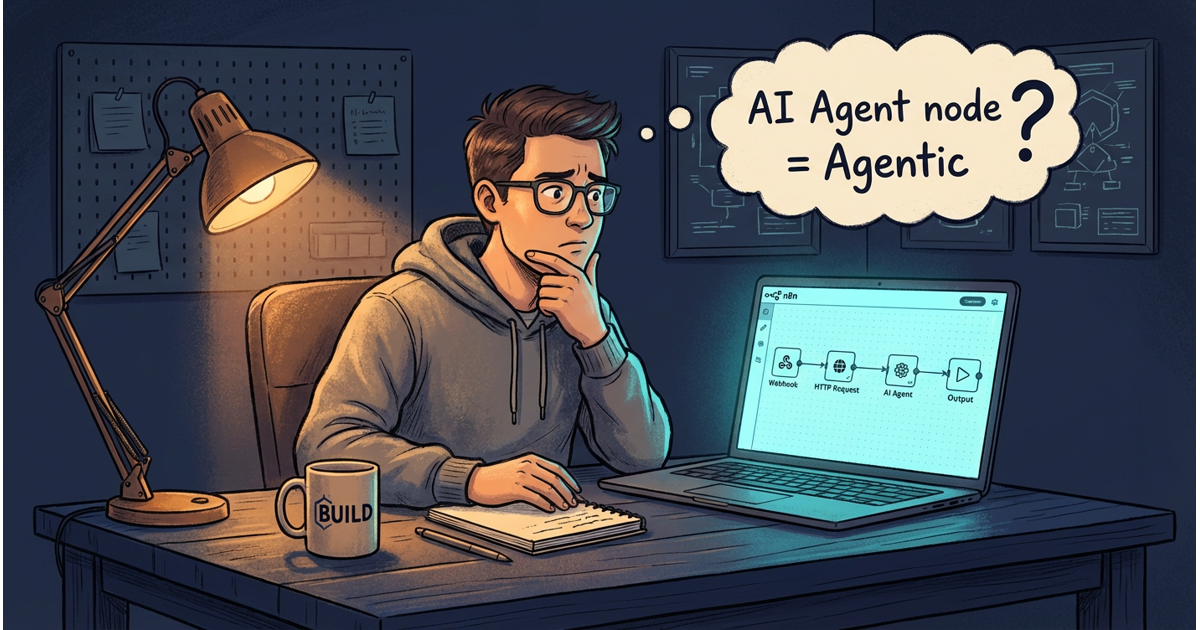
I was obsessed with AI agents before they were cool. Back when the idea of building one felt like trying to perform surgery on yourself. Theoretically possible, but way too complex for someone without years of training. Then n8n made it accessible. Drag and drop. Connect some nodes. Add the AI Agent node. Easy, right? Here's what I learned after finally building them: most people add n8n's AI Agent node to their workflow and think they've built an AI agent. They haven't. They've built a fancy ChatGPT wrapper. You type something in, it spits something out. That's it. That's not agentic - that's just an API call with extra steps. The real unlock? Understanding what makes an agent actually think for itself. What makes it autonomous. What makes it make decisions without you babysitting every step. It took me about 5 workflows before I really got this. My first few "agents" were just glorified text generators. Useful, sure. But they weren't doing anything I couldn't do with a direct API call. This post will shortcut that learning curve. You'll understand what makes an agent actually agentic, and you'll build one that makes autonomous decisions - not just follows commands. Let's get into it. What Makes an AI Agent Actually "Agentic" (Hint: It's Not the Node Itself) Here's the definition gap nobody talks about: every n8n tutorial shows you how to set up the AI Agent node. Configure your API key. Write a system prompt. Connect it to a trigger. Great. You now have an LLM that responds to inputs. But that's not an agent. That's a chatbot. Autonomous means it makes decisions on its own. It doesn't just execute commands - it evaluates context, considers options, and chooses a path. That's a massive difference. The n8n AI Agent node by itself is NOT agentic. It's an LLM wrapper. You give it input, it gives you output. Straight line. No thinking. The breakthrough came when I understood the formula: AI Agent node + Tools = Autonomous behaviorTools are what give your agent hands. Memory. The ability to check things, look things up, take actions. Without tools, your agent is just a brain in a jar - smart, but useless. Let me make this concrete. Think about Claude Code. When you say "delete this folder," it doesn't just generate text about deleting folders. It actually deletes the folder. When you say "research this topic," it goes out, searches, reads pages, and comes back with findings. That's agentic behavior. The AI is doing things, not just saying things. With n8n, you get the same capability - you just feel it less because it runs in the background. Your agent checks a database, compares results, and decides what to do next. All while you're doing something else entirely. n8n now has over 230,000 active users building these kinds of autonomous workflows. Most of them, though, are still using the AI Agent node as a fancy text box. Don't be most of them. Why This Matters for Solopreneurs (Not Just Developers) "But I'm not a developer. This sounds technical." It's not. And here's why this matters for you specifically. Think about legacy automation tools like Zapier. Want to route customer inquiries based on tone? You need:If email contains "urgent" or "ASAP" or "immediately" → urgent path If email contains "disappointed" or "frustrated" or "angry" → complaint path If email contains "thanks" or "appreciate" or "great" → positive path If... if... if...You end up with 17 static if-then branches. Each one is binary - true or false. And every time you miss a word, emails slip through the cracks. With an AI agent? Single node. It reads the email, understands the actual tone (not just keyword matching), tags it appropriately, and routes it to the right step. Someone writes "I've been waiting for three weeks and this is getting ridiculous" - no trigger words, but clearly frustrated. Your if-then automation misses it. Your agent catches it instantly. That's autonomous thinking at work. The agent evaluates, decides, acts. And here's the thing - you don't need some complex multi-agent setup to get this. Start simple. One agent. A few tools. Let it make one type of decision really well. The stats back this up: 60% of organizations using AI automation achieve ROI within 12 months. But that's with proper implementation - not just throwing an AI node into a workflow and hoping for magic. What You'll Need (And What You Can Skip) Before we build, here's your checklist: Required:n8n instance (self-hosted recommended - no per-execution fees) API key for your AI provider (I recommend Claude - Sonnet 4.5 runs $3 per million input tokens, about 40% cheaper than GPT-4o) 30-45 minutes of focused timeOptional but helpful:Airtable or database for memory/history Clear use case in mind (what decision do you want automated?)If you haven't set up n8n yet, check out my beginner's n8n tutorial first. This assumes you can create a basic workflow. Pro tip: Start with manual trigger for testing. You want to run this thing 50 times while you're tweaking the prompts. An RSS trigger or webhook just slows you down during development. Step 1: Give Your Agent Something to Think About Every agent needs input. Something to think about. Something to make decisions on. Your trigger options:Manual - Best for testing (use this first) Webhook - For real-time inputs from external systems RSS feed - Great for content automation Schedule - For periodic checks and batch processing Database trigger - When a new row appearsFor this walkthrough, let's say you're building a content automation agent. Your trigger is an RSS feed from industry blogs you follow. The RSS node pulls new posts. Each post becomes an input your agent will evaluate. Why this matters: This is WHAT your agent will make decisions about. If your trigger gives garbage input, your agent makes garbage decisions. Make sure your trigger captures enough context for the agent to be useful. Step 2: Add the Brain (That Isn't Smart Yet) Drag the AI Agent node onto your canvas. Connect it to your trigger. Now configure it:Choose your AI provider - Claude API (recommended) or OpenAI Select your model - Claude Sonnet 4.5 for the sweet spot of quality and cost Set up your system prompt - This is where you define the agent's personality and purposeHere's an example system prompt for our content automation agent: You are a content relevance analyzer. Your job is to evaluate blog posts and decide if they're worth sharing with my audience.My audience: Solopreneurs building automations on the side while working full-time.Evaluate each post on: 1. Relevance (does it help my audience?) 2. Quality (is it actionable or just fluff?) 3. Freshness (is this new insight or rehashed advice?)Return your analysis in this format: - Relevance: High/Medium/Low - Quality: High/Medium/Low - Decision: SHARE or SKIP - If SHARE: A one-line reason whyNow here's the critical part: this alone is NOT agentic yet. Right now, your agent reads posts and gives opinions. It's basically ChatGPT with a specific prompt. It can't check anything, verify anything, or take any actions. Turns out, this is where 90% of people stop. They think they've built an agent. They haven't built anything autonomous. Let's fix that. Step 3: Attach a Tool (This Is Where the Magic Happens) Tools transform your agent from a text generator into an autonomous decision-maker. In n8n, tools can be:HTTP Request - Call external APIs to check or verify data Database query - Look up history, avoid duplicates Airtable - Read/write to your content database Code - Custom logic when you need itHere's where autonomy happens. Let's add an Airtable tool to our content agent. The scenario: Your agent evaluates an RSS post. But before recommending to share it, you want it to check: "Have I shared something similar recently? Is this topic overdone in my feed?" Without a tool, your agent can't check anything. It just analyzes the post in isolation. With the Airtable tool connected, your agent can:Query your "Shared Posts" table Check if similar topics were shared in the last 30 days See how many times you've covered this subject Make a more informed decisionThe prompt update: Before making your final decision, use the Airtable tool to check the "Shared Posts" table. Query for posts from the last 30 days with similar topics.If similar content was shared recently: - Decision should lean toward SKIP unless this is significantly better - Note what was previously sharedThis ensures variety in what we share.Now your agent thinks for itself. It doesn't just analyze - it investigates, compares, and makes contextual decisions. Plot twist: You don't need the sub-agents feature that n8n added. I rarely use it. Simplicity wins. One agent with good tools beats a complex multi-agent setup every time for most use cases.Want more automation workflows delivered weekly? Join solopreneurs getting practical systems every Saturday. No spam, unsubscribe anytime. Get the Saturday Drop →Step 4: Let It Make Decisions (No More If-Then Spaghetti) Here's where traditional automation falls apart. Old way: You need explicit branches for every possible outcome. The agent says "High relevance" - route here. "Medium relevance" - route there. More if-then logic. Agentic way: The agent's output IS the decision. You configure downstream nodes to act on whatever the agent decides. Our content agent returns a structured decision: Decision: SHARE Reason: Fresh take on AI automation that my audience hasn't seenThe next node? A simple router that checks if the decision is "SHARE" or "SKIP". One condition. That's it. The complexity lives in the agent's reasoning, not in your node connections. This is why employees save an average of 240 hours per year through automation. Not from eliminating tasks - from eliminating the decision fatigue around those tasks. The agent decides. You just set up the infrastructure once.Step 5: Test and Refine (Expect to Fail First) Your first version will be wrong. Accept this now. Run a manual execution. Check the logs. See what your agent actually decided and why. Common issues I hit:Vague prompts - Agent makes inconsistent decisions because the criteria aren't clear Tool not connected properly - Agent tries to use a tool but can't access it API limits - You burn through credits during testing (use smaller test batches) Output format inconsistent - Agent sometimes returns structured data, sometimes proseHere's what I learned: It took about 5 workflows before I really understood how to use AI agents effectively. Not because it's hard - because there's a learning curve between "this works" and "this works well." The fix is always the same: iterate on your system prompt. Be more specific about decision criteria. Give examples of good vs bad decisions. The more context your agent has, the better it performs. Real Example: My Clunky First Agent That Actually Worked Story time. My first n8n workflow took 1.5-2 weeks to build. A full faceless YouTube automation system. It scraped Reddit for relationship niche posts. Wrote scripts from top posts. Generated voiceovers with 11 Labs (different voices for variety). Created satisfaction videos as background footage. Stitched everything together with Creatomate. The honest take? Way too clunky. I had 4 agents when I should have had 1. Overcomplicated at every step. But here's the thing - it WORKED. That first time you see your automation actually run, even if it's ugly, changes everything. The output wasn't perfect. The code was messy. But content was being created while I slept. The real issue was I built before validating. I was interested in the niche, not passionate. Built it to test the theory, not because I wanted to run a relationship advice channel. Never used it long-term. But the learning? That was the unlock. Once you've built one working agent - however clunky - you understand how the pieces fit together. The second one takes half the time. The third one takes a quarter. For a working example of a simpler agent setup, check out how I automate social media posts with AI. Same principles, cleaner execution. Agentic vs Just Automated (The Difference That Changes Everything) Let me make this crystal clear:Feature Regular Automation Agentic AutomationDecision-making Static if-then rules AI evaluates contextAdaptation Manual updates when things change Handles new scenarios on its ownComplexity Grows with every condition Single intelligent nodeMaintenance Constant tweaking Refine the prompt, not the logicEdge cases Breaks or falls through Reasons through themRegular automation: "If email contains 'refund', route to support." Agentic automation: "Evaluate this email. Is the customer requesting a refund, asking about refund policy, complaining about something unrelated, or something else? Route appropriately." The agentic version handles the email that says "I'm not happy with my purchase and want my money back" - no magic keywords, but clearly a refund request. This is the difference that changes everything for solopreneurs. You don't have time to build and maintain 50-branch automations. You need systems that think. Common Mistakes That Keep Your Agent Dumb After building dozens of these, here are the patterns I see: Mistake 1: Using the AI Agent node without tools You've built a chatbot, not an agent. The node itself is just an LLM call. Tools give it the ability to act, check, and verify. No tools = no autonomy. Mistake 2: Overcomplicating with multi-agent setups n8n added sub-agents and agent loops. Cool features. But 95% of the time, you don't need them. One well-prompted agent with good tools beats a complex multi-agent orchestra. Start simple. Add complexity only when you've proven the simple version works. Mistake 3: Vague system prompts "Analyze this content and make good decisions" is not a prompt. It's wishful thinking. Be specific:What criteria should the agent use? What format should the output be in? What should the agent do when uncertain? Give examples of correct decisionsMistake 4: Not testing with real data Your agent works perfectly with test data you wrote. Then it falls apart on real inputs because real data is messy. Test with actual RSS feeds. Actual emails. Actual whatever your agent will process. Find the edge cases before they find you. Your Next Move You don't need to build a complex system. Start with one simple agentic workflow. My recommendation: an email analyzer with tone routing. Set up a trigger for incoming emails. Add an AI Agent node. Give it one tool - maybe a database to check if this person has emailed before. Let it classify the email tone and route accordingly. One agent. One tool. One decision type. Run it for a week. Watch the decisions it makes. Refine the prompt based on where it gets confused. That's how you learn this. Not by reading more tutorials - by building something real and watching it work (and fail, and improve). For more workflow patterns to try, check out my 7 n8n workflow examples that save 20+ hours per week. Time to Stop Reading and Start Doing You now know what most n8n users don't: the AI Agent node alone isn't an agent. It's a building block. The formula is simple. AI Agent + Tools = Autonomous thinking. One node that evaluates, investigates, and decides - instead of a mess of if-then branches you have to maintain forever. You don't need to be a developer. You don't need to build some complex multi-agent system that looks impressive on YouTube. You need one workflow that makes one type of decision really well. Start there. Build it today. Expect it to be clunky - that's normal. That first moment when your workflow makes a smart decision on its own - when it checks history, compares options, and routes something correctly without you touching anything - that's when you feel it. You're not just automating tasks anymore. You're building systems that think. Go build one. That first working agent - however ugly - changes everything.
- Chris Alarcon
- 05 Jan, 2026
How to Save Time with Automation (Without Building Systems You Never Use)
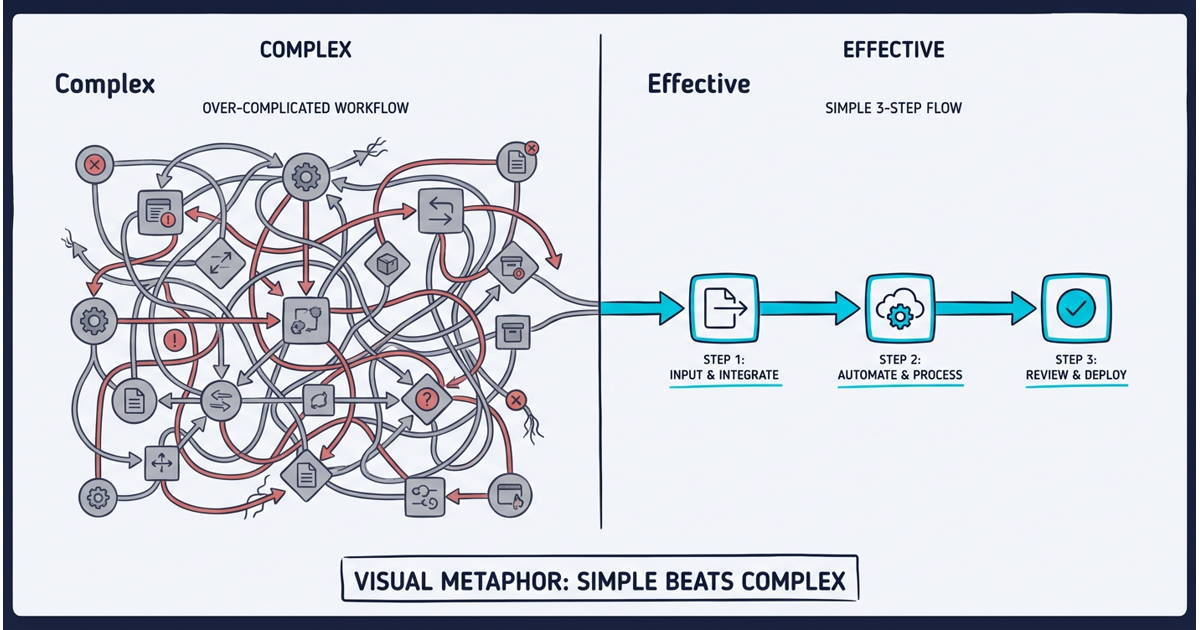
I spent 2 weeks building an automation I never used. Four agents. Late nights after my day job. Reddit scraping, 11Labs voiceovers, Creatomate video stitching - a full faceless YouTube pipeline. The workflow actually worked. Videos would generate automatically from trending relationship posts. And I never published a single one. Turns out, I wasn't passionate about relationship content. I was interested in the theory of faceless YouTube, not the content itself. So I built a beautiful machine that sat there collecting digital dust. Here's what I learned: Automation speeds up whatever you're doing. If you have a broken process, automation just makes it fail faster. The problem wasn't my n8n skills. The problem was I skipped the part where I figured out if I actually needed this thing. Sound familiar? Maybe you've spent a Saturday building a workflow that's supposed to save you hours. Then Monday comes, you're back at your desk, and that automation hasn't touched your real work. That's what this guide is about. Not another "automate everything" tutorial. A framework for building automations you'll actually use - ones that save you 10-15 hours a week instead of costing you weekends. Here's the process-first approach I use now, after learning the hard way. Why Most Automation Advice Fails (And Costs You Weekends) You've heard the standard automation advice: "If you do something more than twice, automate it." Sounds reasonable. Except it's not. Here's the problem - that advice assumes the thing you're doing twice is worth doing at all. It assumes your process is already good. It assumes automation will magically make a broken workflow work. The truth is, most people automate broken processes. Then they're confused when automation doesn't save time. I've been there. I used to admire workflows with 100 nodes. Complex branching logic. Dozens of API calls. "Look at that beautiful automation," I'd think. Now? I admire the simplest workflows that actually run. The 5-node system that saves 3 hours a week beats the 50-node masterpiece that never gets used. But here's the thing about automation tutorials online: they teach you how to build, not whether to build. Nobody makes viral content about the workflow they decided NOT to create. So you end up in a loop. Watch tutorial. Get excited. Spend the weekend building. Realize it doesn't fit your actual work. Feel frustrated. Repeat. Another weekend gone. Nothing shipped. The solution isn't more automation skills. It's a framework for deciding what to automate in the first place. The Process-First Framework for Time-Saving Automation After wasting those 2 weeks on my faceless YouTube system, I changed my approach completely. Now I follow a 4-step process before I ever open n8n. Step 1: Justify the Use Case Before building anything, I answer one question: What's the ROI? Not vague "this would be nice" thinking. Actual numbers. Here's how I calculate it:How many hours does this task take per week? How many hours will the automation take to build? What's the payback period?If a task takes 2 hours weekly and the automation takes 10 hours to build, that's a 5-week payback. Worth it. If a task takes 15 minutes weekly and the automation takes 20 hours to build? That's an 80-week payback. Not worth it. Most people skip this math. They build because building is fun. Then they wonder why their calendar is still full. Step 2: Document the Manual Process First Here's a counterintuitive truth: you should do the thing manually before automating it. Not forever. Just long enough to understand what you're actually doing. I track tasks in a Notion database for 1-2 weeks before automating. I note:What triggers the task? What are the actual steps? Where do I make decisions? What could go wrong?This documentation reveals the hidden complexity. That "simple" task you wanted to automate? It probably has 5 edge cases you'd only discover mid-build. Finding those edges before building saves hours of debugging later. Step 3: Sketch It Before Building The breakthrough came when I started using Excalidraw before opening n8n. I used to jump straight into building. Add a node. Add another. Get tangled in logic. Realize I needed to restructure. Waste 2 hours. Now I spend 10 minutes sketching first. Just rough boxes and arrows showing:What triggers the workflow What each step needs to do Where decisions happen What the final output looks likeSometimes Claude Code helps me brainstorm the flow. We'll talk through the logic together before I touch any automation tool. The best part? Sometimes the sketch reveals that I don't need automation at all. The best automation is the one you don't build because you realized you didn't need it. Step 4: Build the Minimum Viable Automation My first n8n workflow had 4 agents when it should have had 1. I was so excited about what was possible that I built everything. Reddit scraping AND script writing AND voice generation AND video editing AND publishing. All at once. That's a recipe for something that never works reliably. Now I build the smallest version first. One workflow that does one thing. Get it running. Use it for a week. Then add the next piece. For content repurposing, I didn't start with a 10-step pipeline. I started with: blog post goes in, Twitter thread comes out. One input, one output. Everything else came later. The 5 Automations That Actually Save Time for SolopreneursNot all automations are created equal. Some save 15 minutes a week. Others save 15 hours. After building dozens of workflows, here are the five that actually moved the needle: 1. Content Repurposing (3-5 hours/week saved) This is the highest-ROI automation I've built. One piece of content becomes five. Blog post turns into Twitter thread, LinkedIn post, email newsletter, YouTube script outline. The core ideas stay the same - just reformatted for each platform. Before automation: I'd spend an hour per platform manually rewriting. After automation: One trigger, multiple outputs, maybe 20 minutes of editing. The bottleneck nobody mentions: Repurposing only works if you have content worth repurposing. If you're staring at a blank screen wondering what to create, that's a different problem. My Idea Engine fixes that - it scrapes what's working for competitors and delivers 30 days of ideas so you always know what to write next. Related: How to Automate Social Media Posting with AI 2. Social Media Scheduling (2-4 hours/week saved) Note: I'm not talking about automated engagement. That's a path to getting flagged and annoying people. I mean scheduling posts you've already created. Batch your content creation on Sunday, queue it up, let the scheduler handle the timing. Tools like Publer make this dead simple. No custom n8n workflow needed - sometimes the right tool beats the custom build. 3. Email Triage and Filtering (30-60 minutes/day saved) I don't automate email responses. Too risky, too impersonal. But I absolutely automate email sorting. Newsletters go to one folder. Client emails get flagged. Junk gets deleted. By the time I open my inbox, it's already organized. Most email clients have this built in. Gmail filters, Apple Mail rules, whatever. The point is: automate the sorting, not the replying. 4. Meeting Scheduling (1-2 hours/week saved) The back-and-forth of finding meeting times is pure waste. Calendly or Cal.com handles this completely. Share a link, they pick a time, it's on the calendar. No more "Does Tuesday work? How about Thursday?" This is a solved problem. Don't build a custom solution. 5. Client Onboarding Sequences (2-3 hours/client saved) When someone becomes a client, there's a checklist: send welcome email, create project folder, add to CRM, send intake form, schedule kickoff call. Automating this sequence means clients get a consistent, professional experience while you save 2-3 hours per new client. Start with the welcome email. Add the folder creation later. Build it piece by piece. Related: 7 n8n Workflow Examples That Save 20+ Hours a Week The "Should I Automate This?" FrameworkBefore building any automation, I run through these four questions: 1. Does this task repeat weekly (or more)? If you do something once a month, the automation probably won't pay off. The build time rarely justifies the savings for monthly tasks. Weekly or daily tasks? Those are automation gold. 2. Is the process already clear and working? If you're still figuring out how to do something, don't automate it. You'll bake confusion into the system. Do it manually until the process is solid. Then automate. 3. Will automation ACTUALLY save time, or just move complexity? Some "automation" just shifts where you spend time. Instead of doing the task, now you're maintaining the workflow, fixing errors, updating triggers. Be honest about total time spent, not just time on the original task. 4. Do I need human judgment in the loop? Some decisions shouldn't be automated. Client communications, creative direction, anything with nuance. Automation should handle the mechanical parts, not replace your judgment entirely. If a task passes all four questions, it's a candidate for automation. If it fails any of them, think twice before building. How to Build Your First Automation (The Right Way) Ready to build? Here's the process I wish I'd followed from the start. Pick ONE High-Impact Task Don't automate five things at once. Pick the one task that:Happens most frequently Takes the most time Has the clearest processFor most solopreneurs, content repurposing or email sorting wins this test. Sketch the Workflow Open Excalidraw (it's free) and draw:The trigger (what starts the workflow?) Each step (what happens next?) The output (what does success look like?)Spend 10-15 minutes here. It saves hours later. Choose Your Tool For most automations, n8n is my go-to. Self-hosted, unlimited workflows, no per-execution fees. Related: n8n Tutorial for Beginners: Your First Workflow in 15 Minutes But sometimes the right answer is a dedicated tool. Calendly for scheduling. Publer for social posting. Don't build what's already solved. Build the Minimum Version Start with the smallest version that provides value. If you're automating content repurposing:Version 1: Blog post → Twitter thread Version 2: Add LinkedIn Version 3: Add email Version 4: Add imagesEach version works independently. You don't need version 4 for version 1 to save time. Test with Real Data Don't test with fake examples. Run your actual content through the workflow. Real data reveals real problems. Edge cases you didn't consider. Formatting issues. API quirks. Refine Based on What Breaks Here's the part nobody talks about: debugging workflows is part of the game. I have 10+ workflows running regularly. I'm constantly tweaking them. Something breaks, I fix it. Output isn't quite right, I adjust. Automation isn't set-and-forget. It's a living system you maintain. Expect to iterate. The good news? Each iteration makes the system more reliable. After a few weeks of refinement, you have something that truly runs automatically.Want workflows like these delivered weekly? I share one practical automation system every Saturday - the exact workflows I'm building and refining. No theory, just systems you can steal. Get the Saturday Drop →Real Automation Workflows You Can Copy Here are three workflows from my actual system: Workflow 1: Notion Content Hub → Multi-Platform Publishing My content operation runs through one Notion database. The flow:Write draft in Notion Mark as "Ready to Publish" n8n detects the status change Claude reformats for each platform (Twitter, LinkedIn, email) Content queues in Publer I wake up to posts scheduledThe key: I still review before publishing. Automation does the heavy lifting, but I approve the final output. Workflow 2: Blog Image Generation with Claude Code Creating header images used to take 30 minutes per post. Now:Claude Code reads the blog post Generates image prompt based on content Calls Gemini 3 API for image generation Saves to the right folderTime: about 2 minutes, mostly waiting. Workflow 3: YouTube Script → Multi-Format Content One long-form video becomes multiple assets:Script goes into the system Pull key points for Twitter thread Create LinkedIn article summary Generate newsletter section Draft TikTok hook ideasCommon Automation Mistakes (I've Made Them All) Learning from my failures so you don't have to: Mistake 1: Automating Before Understanding the Process This was my faceless YouTube disaster. I automated a process I hadn't validated. Two weeks of work for zero output. Now I do things manually first. Understand the task. Document the steps. Then automate. Mistake 2: Building 4 Agents When You Need 1 My first n8n workflow was comically overengineered. Reddit scraping, script writing, voice generation, video creation - all in one system. Should have been one agent doing one thing well. (If you're building AI agents specifically, I wrote a complete guide to n8n's AI Agent node that shows how to build autonomous, tool-using workflows the right way.) Start simple. Add complexity only when the simple version works. Mistake 3: Set-and-Forget Mentality The myth of "passive" automation. Build once, never touch again. Doesn't work that way. APIs change. Your needs evolve. Edge cases appear. Expect to maintain your workflows. Budget time for it weekly. Mistake 4: Automating Things You Actually Enjoy Not everything that CAN be automated SHOULD be. If you enjoy writing Twitter threads, don't fully automate them. Maybe automate the formatting, but keep the creative part. Automation should free you for work you enjoy, not eliminate the enjoyable parts. Mistake 5: Ignoring Human-in-the-Loop Full automation sounds great until you send a weird email to a client because an edge case slipped through. Keep humans in the loop for:Client communications Final approval before publishing Anything with real consequencesAutomation handles the grunt work. You handle the judgment calls. Tools I Actually Use (And Why) After trying dozens of tools, here's what stuck: n8n - Self-hosted on Hostinger. $5.99-20/month for unlimited workflows. No per-execution fees. This is where most of my automation lives. Claude Code - My most-used tool. Blog writing agents, image generation, workflow brainstorming. If I could only keep one AI tool, it's this one. Notion - Central hub for all content. Everything flows through Notion databases. n8n watches for changes and triggers workflows. Publer - Social scheduling. Could I build this in n8n? Probably. But Publer does it better than I could. Excalidraw - Free workflow planning. Every automation starts as a sketch here. The theme: use the right tool for the job. Sometimes that's a custom workflow. Sometimes it's a SaaS product. Don't build what's already solved. Your First Automation Is One Decision Away I built everything you see here while working a full-time job. 10-20 hours a week. Early mornings. Late nights. Weekends when I could swing it. You don't need to quit your job to build automation systems. You don't need 40 hours a week. You need the right framework and the willingness to start small. Here's the process again:Justify - Calculate the actual ROI Document - Do it manually first, understand the process Sketch - Map it in Excalidraw before building Build - Start with the minimum version Refine - Debug, iterate, improveThat's it. No complex methodology. No expensive courses. Just a system for building automations you'll actually use. Pick one task. The one that eats the most time. Run it through the framework. Sketch it out. Then build version one. Not the perfect version. The minimum version that works. You'll save more time with one simple automation that runs reliably than with five complex workflows that never get finished. Your future self is already running systems that work while you sleep. The only question is when you'll ship the first workflow that gets you there. Build it this week.

- Chris Alarcon
- 04 Jan, 2026
n8n Tutorial for Beginners: Step-by-Step Guide (2026)
I tried n8n five times before it clicked. Each time I quit because it felt too complex, too overwhelming, too... much. Authentication errors. Weird node configurations. Tutorials that assumed I already knew what I was doing. Everyone said n8n was "easy" and "just like Zapier but free" but I kept bouncing off it like a brick wall. Then I saw a YouTube video about "vibe marketing" and got hooked on the idea of building a faceless YouTube channel. I signed up for the 14-day trial and committed: I'm not quitting this time until I build something that actually works. 1.5 weeks later, I had a working automation. It scraped Reddit posts, wrote scripts, generated voiceovers with different voices, created satisfaction videos, and stitched everything together with Creatomate. It was clunky. I built 4 agents when I should've built 1. But it worked. That's when n8n clicked for me. This is the tutorial I wish I'd had on attempt #1: complete setup walkthrough, 3 working workflows you can build in your first hour, and the debugging tricks that finally made everything stick. After 6 months of building with n8n - 10+ workflows running daily - I'm going to show you exactly how to get past the "this is too hard" phase and into the "holy shit, I actually built this" moment. What Is n8n? (And Why It's Worth Learning Even Though Zapier Is Easier) n8n is a free, open-source automation tool that connects apps and services together. Think Zapier or Make.com, but you own it. Here's the honest comparison:Feature n8n Zapier Make.comCost Free (self-hosted) or $20/mo (cloud) $19.99-$69/mo $9-$29/moWorkflows Unlimited Limited by plan Limited by planLearning curve Steeper Easiest MediumCustomization Full code access Limited MediumExecution limits None (self-hosted) Plan-based Plan-basedWhy people choose n8n:No per-execution fees (huge if you run workflows at scale) Self-hosting means you control everything Code nodes let you customize anything Open-source community constantly adds integrationsWhy it's harder: Zapier holds your hand. n8n expects you to figure some things out. Authentication setup is more manual. Error messages are less friendly. The first hour is rougher. But here's the thing: once you get past the setup friction, n8n becomes your most powerful tool. You're not locked into pricing tiers. You're not limited by "tasks per month." You build what you need, exactly how you need it. Worth it? For me, absolutely.Related Reading:7 n8n Workflow Examples for Content Creators How to Automate Social Media with AIHow to Set Up n8n (2 Options: Cloud vs Self-Hosted) You have two paths. Pick based on your comfort level and budget. Option 1: n8n Cloud (Fastest - 5 Minutes) If you just want to start building:Go to n8n.io Click "Start for free" Sign up with email You're in. Start building immediately.Pros: Zero setup. 14-day free trial. Good for testing. Cons: Costs $20/month after trial. Limited to their infrastructure. Option 2: Self-Hosted on Hostinger (15 Minutes - What I Use) This is what I use. One-time setup, then you're running n8n on your own server. What you'll need:Hostinger VPS (I use the $5.99/mo plan) Basic command line comfort (I'll walk you through)Steps:Sign up for Hostinger VPS SSH into your server Install Docker: curl -fsSL https://get.docker.com -o get-docker.sh && sh get-docker.sh Run n8n container: docker run -it --rm --name n8n -p 5678:5678 -v ~/.n8n:/home/node/.n8n n8nio/n8n Access at http://your-server-ip:5678Hostinger has a one-click n8n installer now, which makes this even easier. But even the manual Docker route takes 15 minutes max. Why I chose self-hosted: Unlimited workflows. No monthly fees beyond hosting ($5.99/mo vs Zapier's $69/mo). Full control. First Login: What You'll See You'll land in a blank canvas with a "+" button. This is your workflow editor. Don't panic - it's simpler than it looks. Click the "+" and you'll see the node library. Over 400 integrations. Ignore most of them for now. The 7 n8n Nodes That Actually Matter (Ignore the Other 400+) n8n has 400+ nodes. I use the same 7 for 90% of my workflows. Here's what I learned: You don't need to learn all the nodes. You need to master the ones you'll actually use.1. Schedule Trigger Runs workflows on a schedule (daily at 9am, every Monday, etc.). Perfect for recurring automations. 2. Webhook Trigger Lets external services trigger your workflow via URL. Foundation for Zapier-style integrations. 3. Code Node Write custom JavaScript. This is where n8n becomes infinitely flexible. I use this constantly. 4. Switch Node Routes data based on conditions (if status = "paid", do X; if status = "pending", do Y). Essential for complex logic. 5. IF Node Simple true/false logic. Cleaner than Switch when you only need 2 paths. 6. Set Node Formats data. Renames fields, extracts values, cleans up messy API responses. 7. Wait Node Pauses workflow execution (wait 5 minutes, wait until specific date). Critical for timing-sensitive automations. Bonus: AI Agent Node Connects Claude, ChatGPT, and other LLMs directly into workflows. This is where automation gets scary powerful. If you want to build truly autonomous AI workflows that make decisions and use tools, check out my complete guide to building agentic n8n workflows with the AI Agent node. Start with these. Once you're comfortable, explore the other 393 nodes. But you can build 90% of useful automations with just this core set. Workflow #1: Gmail to Slack Notification (The "Hello World" of n8n) Let's build your first workflow. Simple, practical, teaches the fundamentals. What it does: When you get an important email, it sends a Slack notification instantly.Step-by-step:Add Gmail TriggerClick "+" → Search "Gmail Trigger" Select "On Message Received" Click "Connect my account" Authorize Google (this is the authentication step everyone struggles with - just follow the OAuth flow)Add IF NodeClick "+" → Search "IF" Set condition: {{ $json["subject"] }} contains "urgent" This filters only urgent emailsAdd Slack NodeClick "+" → Search "Slack" Connect your Slack workspace Choose channel (e.g., #alerts) Message: New urgent email from {{ $json["from"]["name"] }}: {{ $json["subject"] }}Test ItClick "Execute Workflow" Send yourself a test email with "urgent" in subject Check SlackWhat you just learned:Authentication (connecting Gmail + Slack) Triggers (Gmail watching for new emails) Data mapping (those {{ $json["field"] }} expressions) Testing workflows before activating themCommon error: "Authentication failed" → Go back to the node, click "Reconnect", re-authorize. n8n's OAuth sometimes needs a second try. Workflow #2: Daily Twitter/X Post Automation (Schedule Trigger + AI) Now let's build something that runs on autopilot. What it does: Every day at 9am, Claude generates an automation tip and posts it to Twitter/X. Step-by-step:Add Schedule TriggerClick "+" → "Schedule Trigger" Set to "Every Day" at 9:00amAdd AI Agent NodeClick "+" → Search "AI Agent" Connect Claude API (you'll need an Anthropic API key) Prompt: Write a 1-sentence automation tip for solopreneurs building side projects. Make it actionable and specific. No hashtags.Add Twitter NodeClick "+" → Search "Twitter" Connect your Twitter account Tweet text: {{ $json["output"] }}Activate ItClick the toggle in top-right: "Inactive" → "Active" Your workflow is now live. It'll run every morning at 9am automatically.Key difference from Workflow #1: This one RUNS without you. Once activated, n8n executes it on schedule. You're not clicking "Execute" - it just happens. What you just learned:Schedule triggers (time-based automation) AI integration (Claude generating content) Activating vs testing (live workflows vs manual execution)This is where automation gets addictive. You build it once, and it runs forever. Workflow #3: Webhook to Google Sheets (Capture Data from Anywhere) Final workflow: the foundation for advanced automation. What it does: Create a custom webhook URL that receives data and saves it to Google Sheets. Use this for form submissions, Zapier alternatives, custom integrations - anything. Step-by-step:Add Webhook TriggerClick "+" → "Webhook" Method: POST Copy the webhook URL (looks like https://your-n8n.com/webhook/abc123)Add Set Node (optional but recommended)Formats incoming data Map fields: name = {{ $json["body"]["name"] }}, email = {{ $json["body"]["email"] }}Add Google Sheets NodeClick "+" → "Google Sheets" Connect your Google account Choose spreadsheet and sheet Map columns to data fieldsTest ItUse Postman or curl to send test POST request:curl -X POST https://your-n8n.com/webhook/abc123 \ -H "Content-Type: application/json" \ -d '{"name":"Chris","email":"test@example.com"}'Check Google Sheets - data should appearWhat you just learned:Webhooks (HTTP endpoints you control) Data transformation (Set node cleaning up messy inputs) Google Sheets integration (foundational for so many workflows)This pattern is HUGE. Every SaaS tool, every form builder, every API - they all send webhook data. Once you understand this workflow, you can connect anything to anything.Want more n8n workflows delivered weekly? Join 500+ solopreneurs getting practical automation systems every Saturday. No spam, unsubscribe anytime. Get the Saturday Drop →What Just Broke? The n8n Debugging Guide That Actually Works You'll hit errors. Everyone does. Here's how to fix the most common ones.Error #1: "Authentication Failed" What it means: The app connection dropped or expired. Fix:Click on the node with the error Click "Reconnect" or "Select Credential" Re-authorize the app (OAuth flow) Test againError #2: "Cannot Read Property of Undefined" What it means: You're trying to access data that doesn't exist. Fix:Click the node BEFORE the error Look at the output data (bottom panel) Check your expression: {{ $json["field"] }} must match actual field names Use the "Expression Editor" (click the = icon) to see available fieldsError #3: "Expression Could Not Be Resolved" What it means: Syntax error in your data mapping. Fix:Common mistakes: Missing brackets: {{ $json["name"] }} not {{ $json[name] }} Wrong node reference: {{ $node["Node Name"].json["field"] }} Typo in field nameUse the Expression Editor to validate syntaxMy 5-Step Debug Process:Execute one node at a time - Click "Execute Node" instead of "Execute Workflow" Check the output panel - Bottom of screen shows exactly what data the node produced Use the Code node to log data - Add console.log(items) to see what's actually there Test with static data first - Use "Set" node with hardcoded values to isolate issues Check the n8n community forum - Someone's hit your exact error beforeTurns out: Debugging is half the skill. Get good at reading error messages and checking data output, and you'll fix issues in 2 minutes instead of 2 hours. How to Learn from 1,000+ Pre-Built Workflows (Without Copy-Pasting) You don't have to build everything from scratch. Where to find templates: n8n.io/workflows - 1,000+ pre-built workflows How to use them:Browse templates (filter by category: Marketing, Sales, Productivity, etc.) Click "Use Workflow" It opens in your n8n editor Reconnect credentials (templates don't include your API keys) Modify to fit your use caseBest templates for beginners:"Send Slack notification for new Gmail" - Teaches triggers + messaging "Save form submissions to Google Sheets" - Teaches webhooks + data storage "Daily weather report to email" - Teaches schedule triggers + external APIs "Summarize web articles with AI" - Teaches AI integration + HTTP requestsHere's what I learned: Don't just copy-paste. Study how they built it. See how they structured nodes. Then adapt the pattern to your own workflows. The template library is a masterclass in workflow design. Use it. The 7 Lessons I Learned After 6 Months of Building with n8n After 6 months, 10+ daily workflows, and countless hours debugging - here's what I wish I'd known on day 1: 1. Plan First, Build Second I used to jump straight into n8n. Bad move. Now I sketch workflows in Excalidraw first. 10 minutes of planning saves hours of rebuilding. 2. Only a Few Nodes Matter You don't need to learn 400 nodes. Master the core 7-10. I still barely touch 90% of the library. 3. Find the Nodes You Enjoy Some people love the Code node. Others prefer visual logic (IF, Switch). Figure out which style fits your brain and lean into it. 4. Give Yourself Permission to Fail Not every workflow needs to be perfect. Some are stepping stones. My first automation (that faceless YouTube workflow) was clunky - 4 agents when it should've been 1 - but it taught me everything I needed to build better ones. 5. Start with Templates, Then Customize Templates teach you patterns. Once you understand the pattern, you can apply it anywhere. 6. Debugging Is Part of the Process I used to think errors meant I was doing it wrong. Now I know: errors are just feedback. Read them, fix them, move on. 7. Self-Hosting Pays Off Fast If you're serious about automation, self-hosting n8n on Hostinger ($5.99/mo) beats Zapier's pricing ($69/mo) after month 1. Unlimited workflows. No execution limits. Full control. Quick callback to the faceless YouTube story: That first workflow was a mess. But it worked. And that's the whole point - ship something, even if it's clunky. You'll refine it later. Your Next Steps: From Beginner to Builder You've built 3 workflows. You know the core nodes. You can debug basic errors. Now what? Immediate (Next 24 Hours):Build one of the 3 workflows above (pick the one you'd actually use) Test it until it works Activate it and let it runThis Week:Explore the template library - find 3 workflows you'd use Customize one template to fit your exact use case Break something, then fix it (seriously, debugging practice is how you learn)This Month:Build 1 automation that saves you 30+ minutes per week Examples: Daily digest of top Hacker News posts → email New blog post → auto-post to Twitter, LinkedIn, Facebook Form submissions → auto-add to CRM + send confirmation emailAdvanced Path (3-6 Months):Self-host n8n on your own server Build multi-step workflows with complex logic (Switch, Loop, Merge nodes) Integrate AI agents for content generation Connect n8n to your entire tech stackRelated Reading:7 n8n Workflow Examples for Content Creators How to Automate Social Media with AIYou're Not Behind - You're Right on Time Look, I tried n8n five times before it worked. You might need 2 tries. You might get it on the first one. Doesn't matter. What matters is this: you now know how to set up n8n, build 3 working workflows, and debug the most common errors. That puts you ahead of 90% of people who hear "n8n" and think "too complicated." You have the tutorial. You have the workflows. You have the debugging checklist. The only thing left is to actually build something. Pick one workflow from this guide. Build it. Break it. Fix it. Then build another one. Six months from now, you'll have 10+ automations running while you sleep. Systems that save hours every week. Workflows that just... work. Before you go full speed, read how to save time with automation without building systems you never use. It'll help you pick the RIGHT workflows to build first - the ones that actually pay off instead of sitting there untouched. But only if you start today.
One workflow.
Every week.
Join solopreneurs getting actionable AI automation strategies delivered every Saturday. Zero fluff. Just systems you can steal.